Saved Deal
A reminder in the diner's Saved page. It holds no stock, starts no timer and may become unavailable before they return.
Deals and coupons
You publish a limited offer. Diners can save the idea without using stock, then claim a time-sensitive coupon only when they are ready to visit.
The important difference
A reminder in the diner's Saved page. It holds no stock, starts no timer and may become unavailable before they return.
One unit reserved from your pool. It has a clear expiry and must be approved by staff at the correct outlet.
Example journey
Swipe the examples on mobile. Demo Makan House is fictional and every code shown here is non-live.
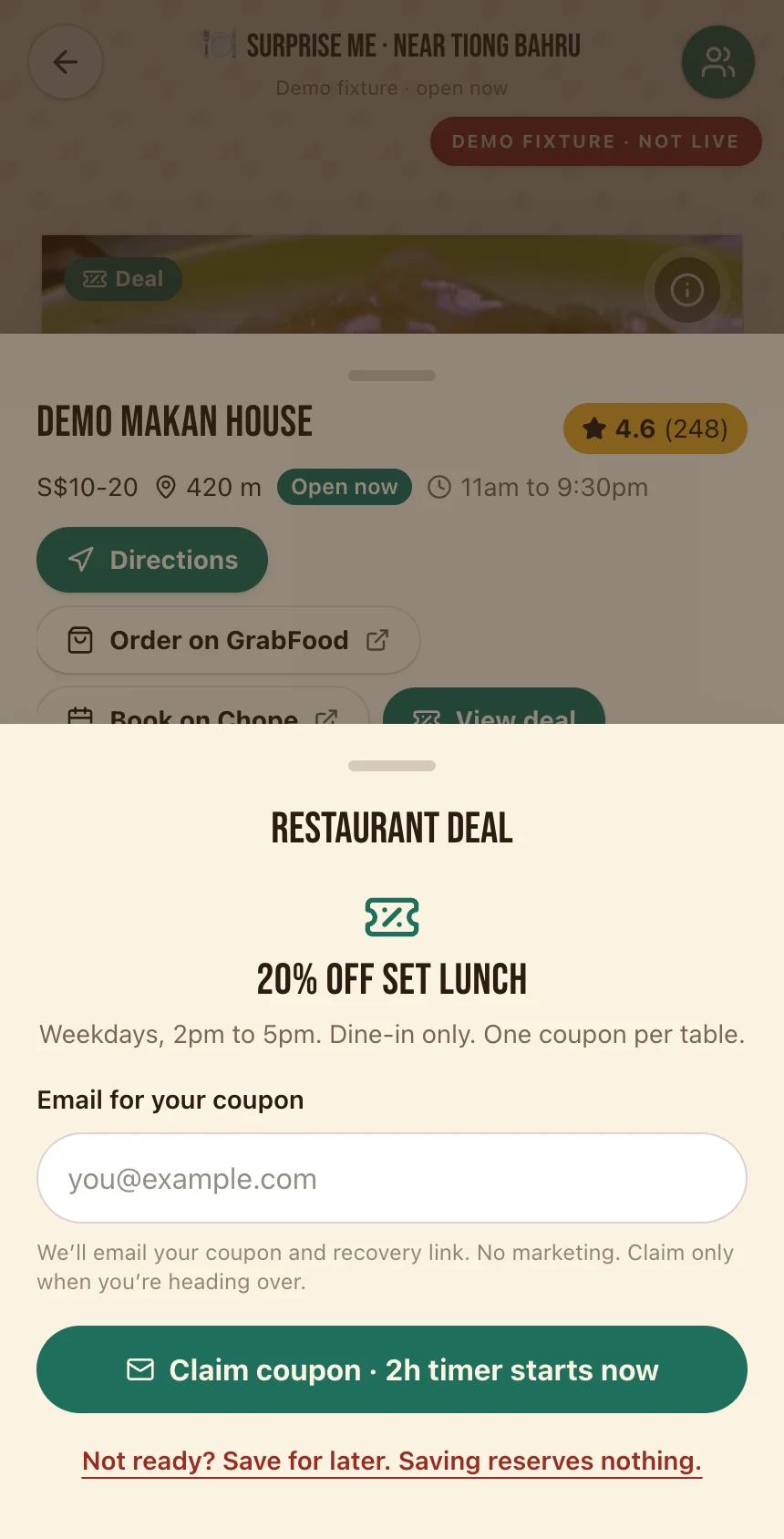
Saving is a bookmark. Claiming reserves one coupon and starts the visible countdown.
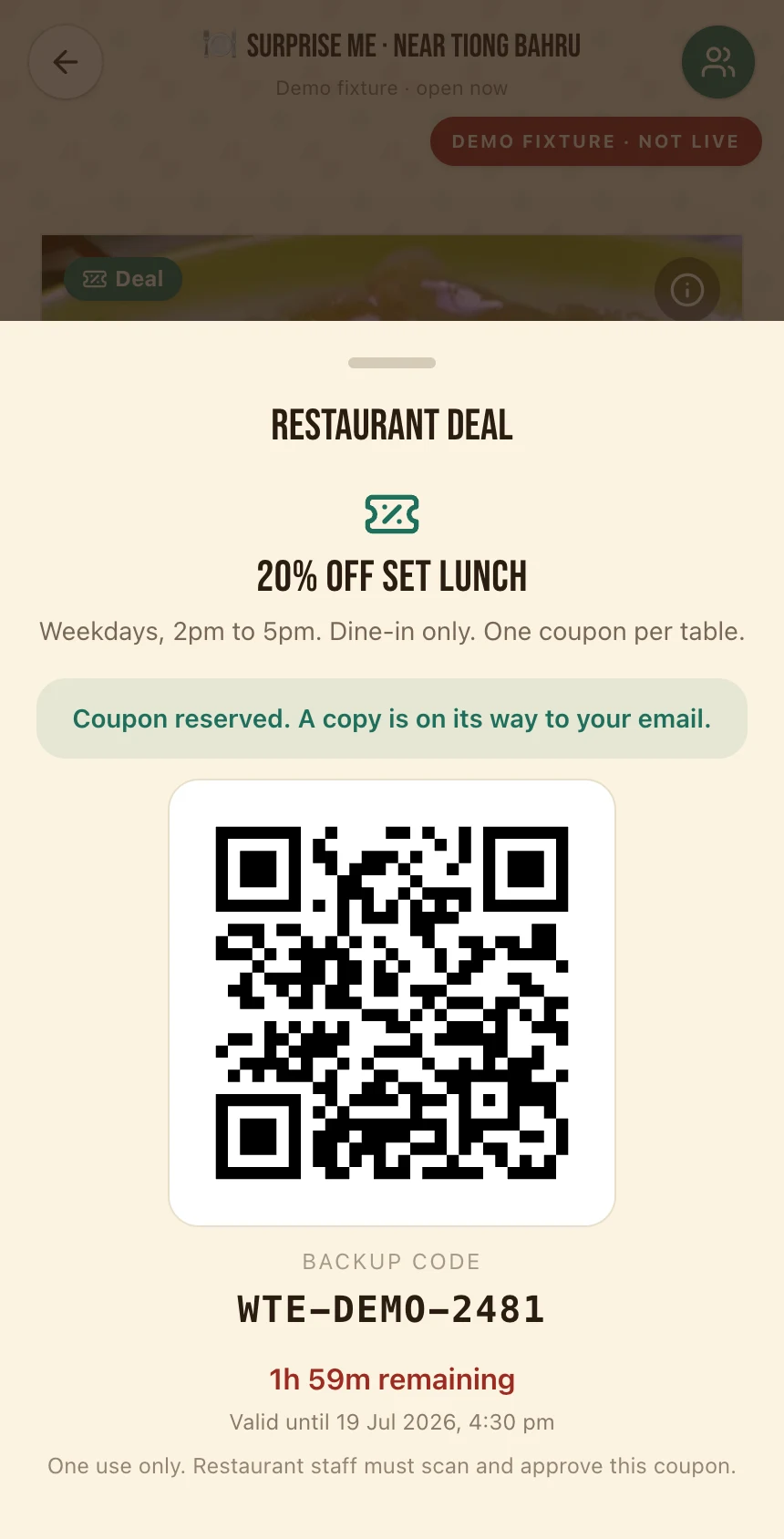
The active coupon shows the exact outlet, expiry, QR and a backup code.
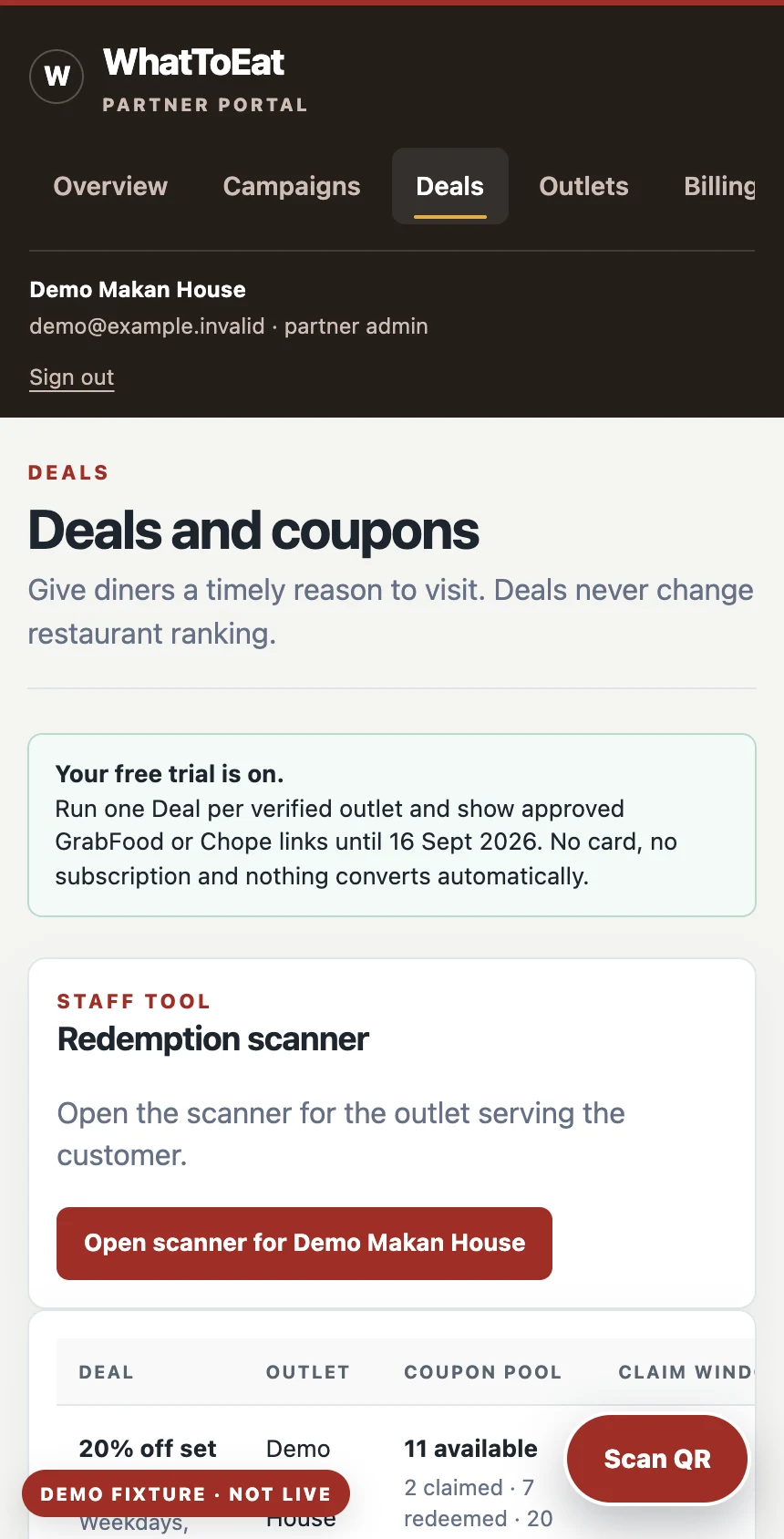
Staff open the outlet scanner, then scan the QR or enter its backup code.
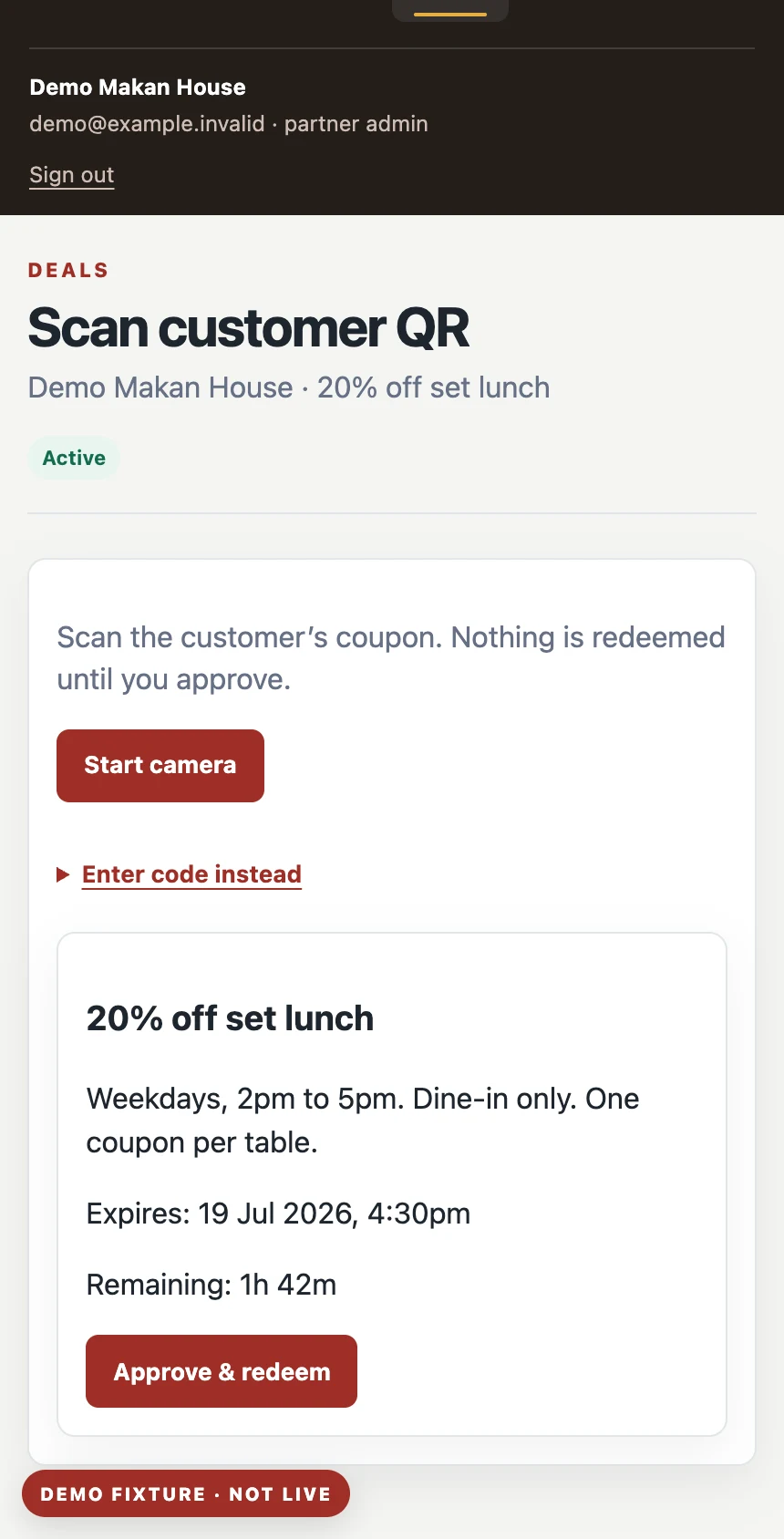
Staff check the offer and expiry, then approve. Both sides see confirmation and the coupon cannot be used twice.
During a busy shift
60-day free trial
Run one in-store Deal and add exact GrabFood and Chope links. No card, subscription or automatic renewal.